
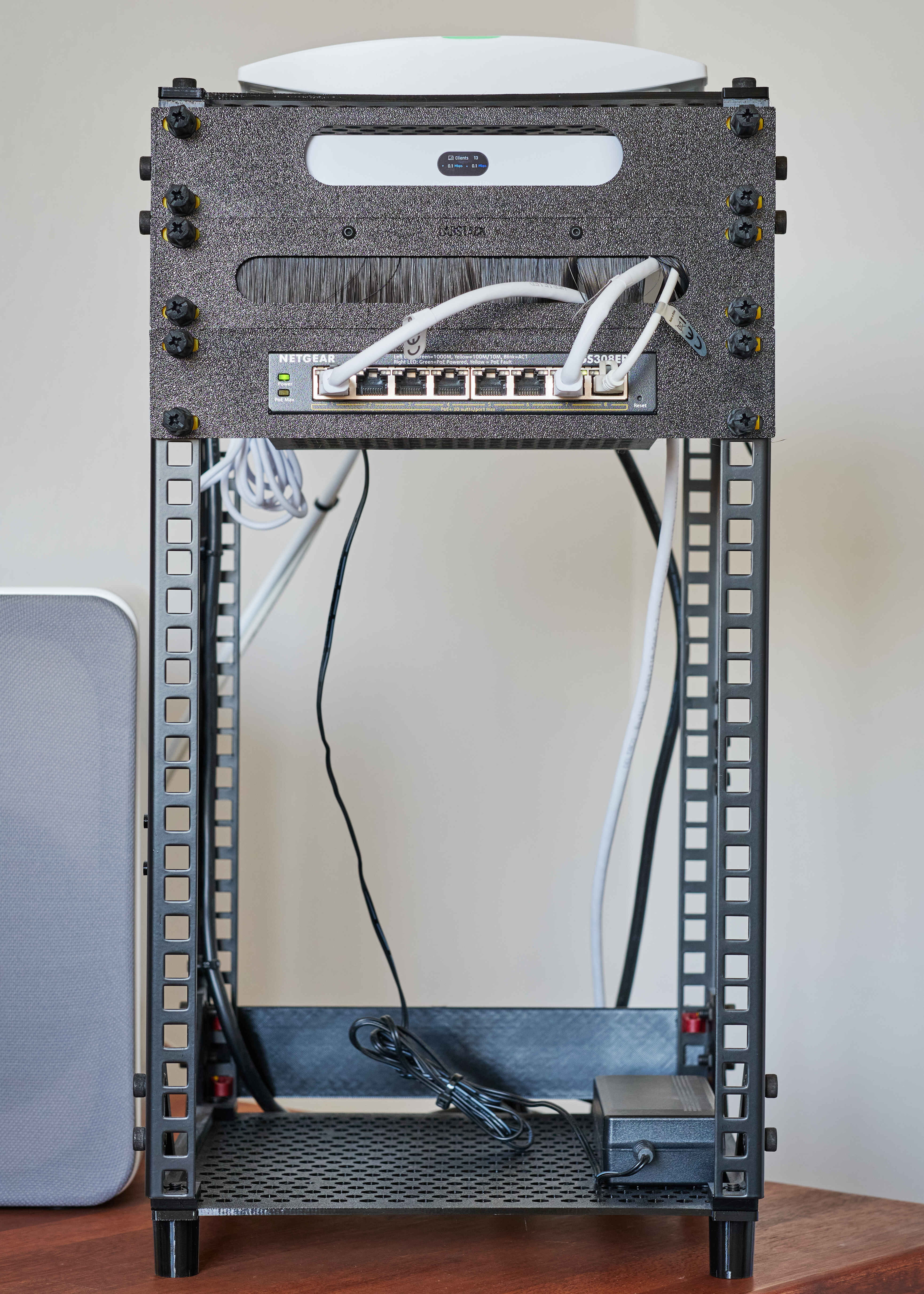
A sturdy and minimal 3D printed 10" server rack.
In this post I introduce my version of a 3D printed 10" server rack using metal rack strips for extra stability.
# Background story
I have long wanted a server rack at home for all my network- and server-related electronics. However, I have quite limited space, so a full-size, 19” rack would never fit. I therefore started to look into the world of 10” server racks. Surprisingly, there are not many commercially available 10” server racks at a reasonable price point.
After looking at various 3D-printable 10U server racks available online, I could not find one that met my requirements. Most of the racks seems unstable or requires excessive amounts of filament for 10U sizes. I therefore decided to design my own 3D-printable server rack with a twist. I opted to use relatively inexpensive metal rack strips to maximize strength and minimize filament use.
# The base rack configuration
This server rack was designed with a focus on being:
- compatible with existing 10” server rack accessories.
- strong and easily scalable in size (height).
- square with a sleek profile.
- printable on most standard 3D printers, i.e. bed size 256 x 256 mm.
- easy to assemble requiring only readily available hardware to be put together.
# Required materials and hardware
The most basic configuration requires the following materials.
| Material | Amount | Cost (EUR) |
|---|---|---|
| PETG | 467g* | 10,71 |
| Adam Hall Rack Strip 10U | 4 | 30 |
| M6 nuts | 24 | 1,03 |
| M6*12/14 bolts | 16 | 0,69 |
| M6*25 bolts | 8 | 0,34 |
| Total | 42,77 |
Note: cost based on prices in Denmark. *Amount based on estimate from Bambulab Slicer.
# Assembly
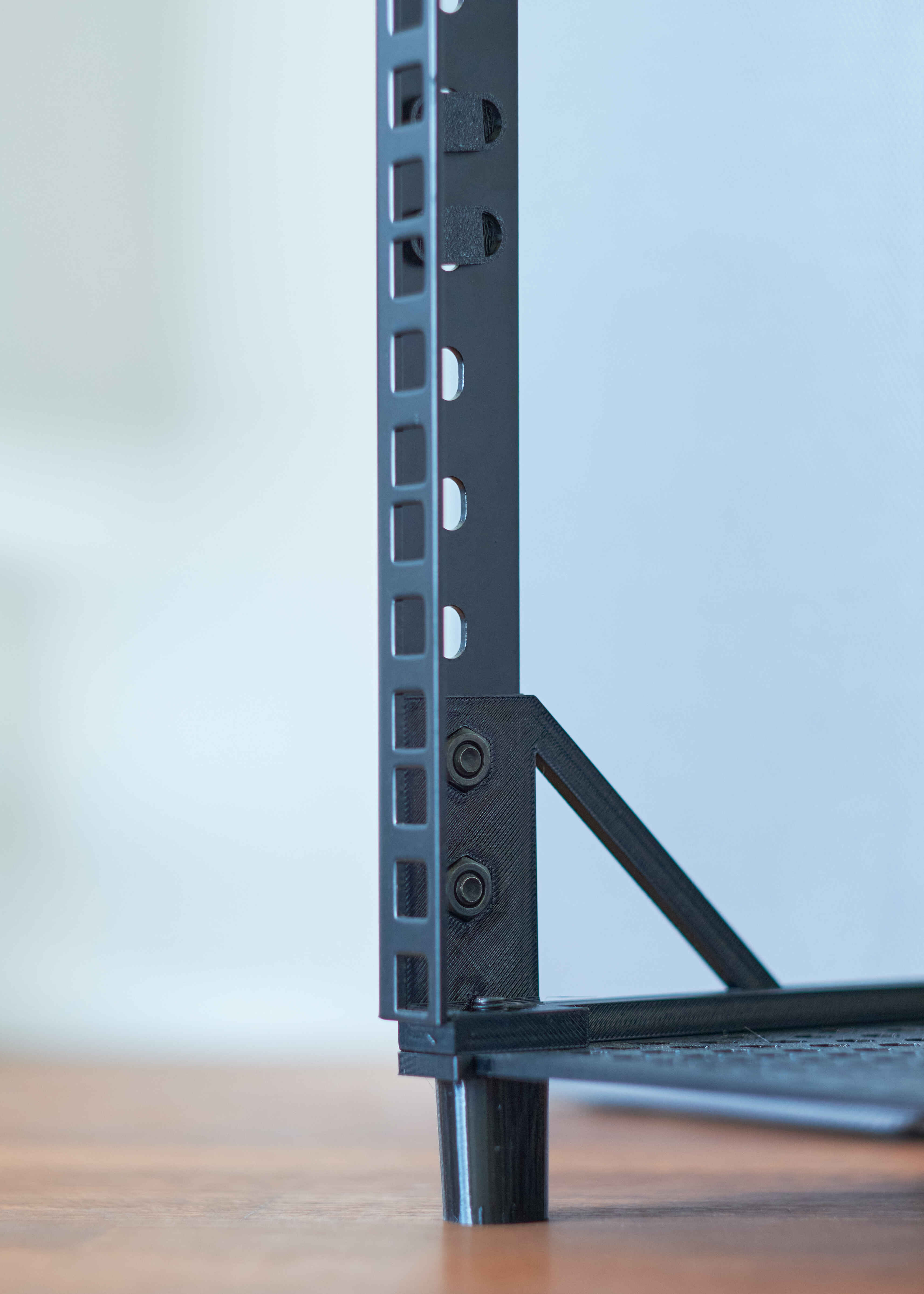
- Attach the brackets to the inside of the rack strips by inserting the nuts into the brackets and screwing the bolts in from the other side.
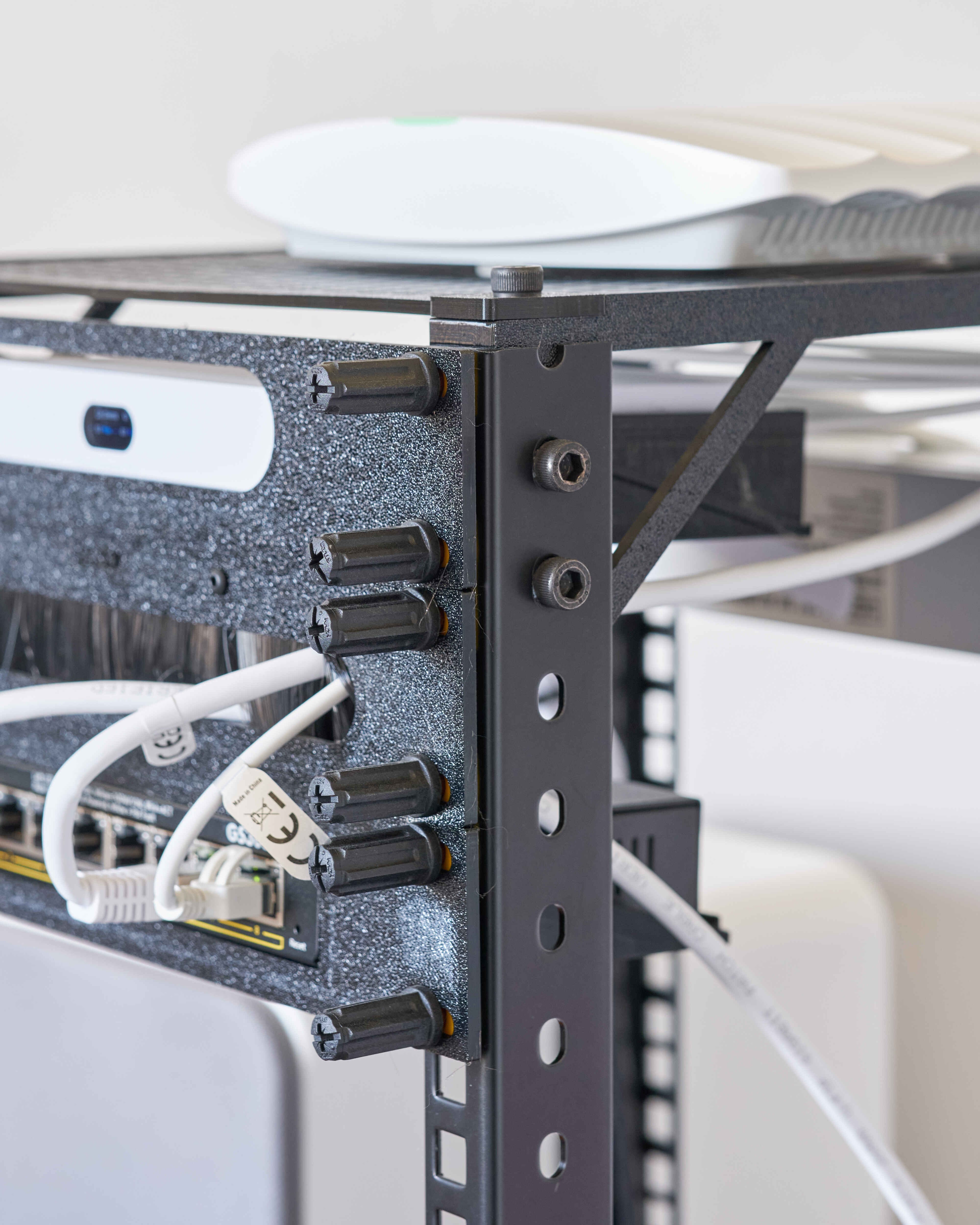
- Attach the top plate by aligning the corner holes with the brackets at the top of the rack strips. Place the small clamp brackets on top of the top plates before screwing the bolts in.
- The procedure for the bottom plate is very similar. However, in this case, the feet should be placed on top of the clamp brackets before screwing the bolt in through all the parts.
# Additions
In addition to the base configuration, I have added the following feature and rack mounts:
- Optional mounting holes for 140 mm fans in the top and bottom plates. I have not yet needed fans myself, but I have added the mounting holes to alleviate any potential temperature issues in the future.
- Blank slot cover plates.
- Ubiquiti Ultra Gateway rack mount.
- Netgear GS308EP rack mount.
The cable passthrough plate is based on a generic passthrough that I purchased from Amazon. Unfortunately, however, the plate holes did not fit the rack, so I designed my own version using the bristles from the purchased part.